

The Xero Salesforce integration that feels native.
Two-way, near-real-time sync of invoices, payments, customers and products between Salesforce and Xero — no middleware, no code.
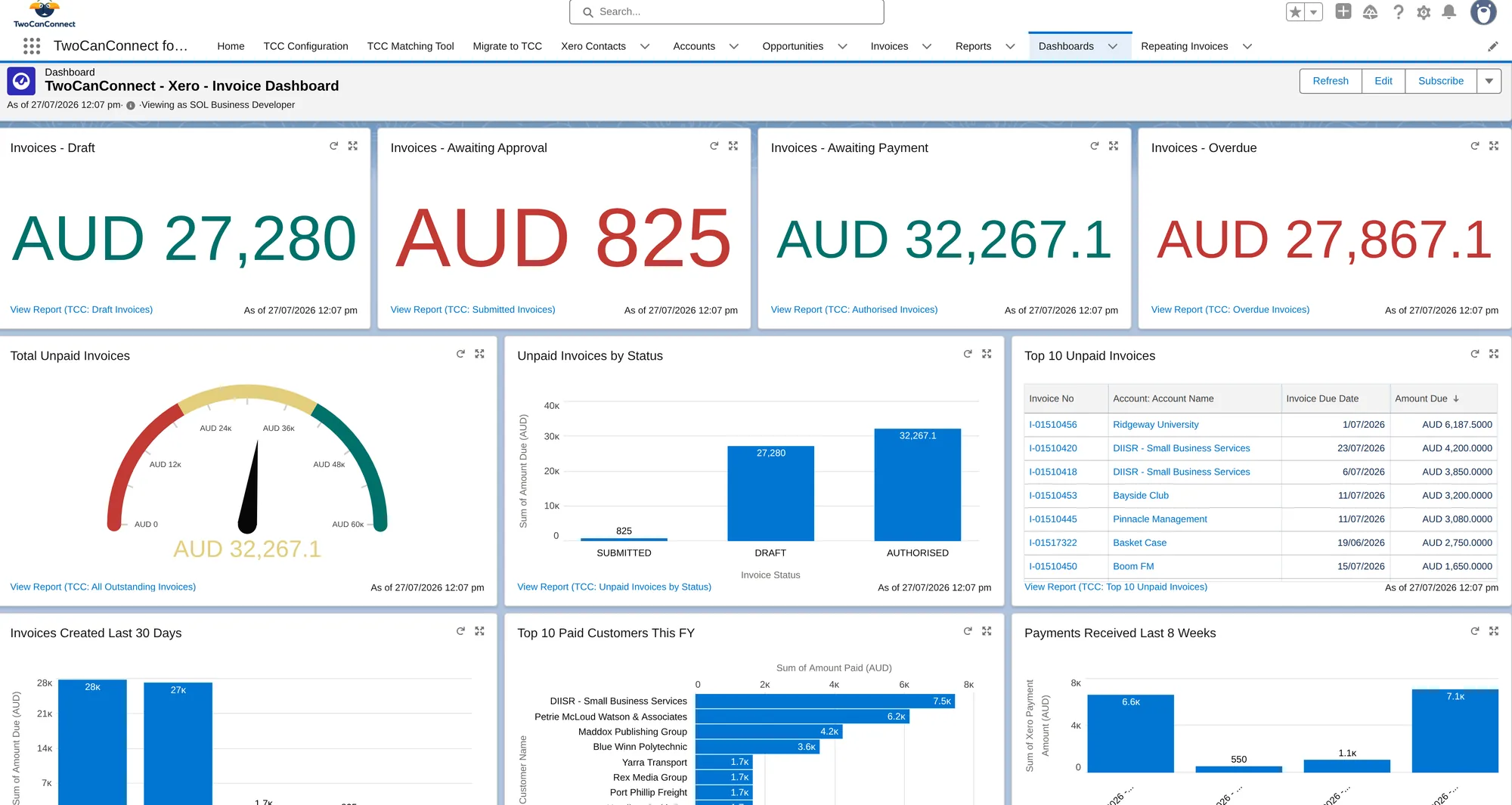
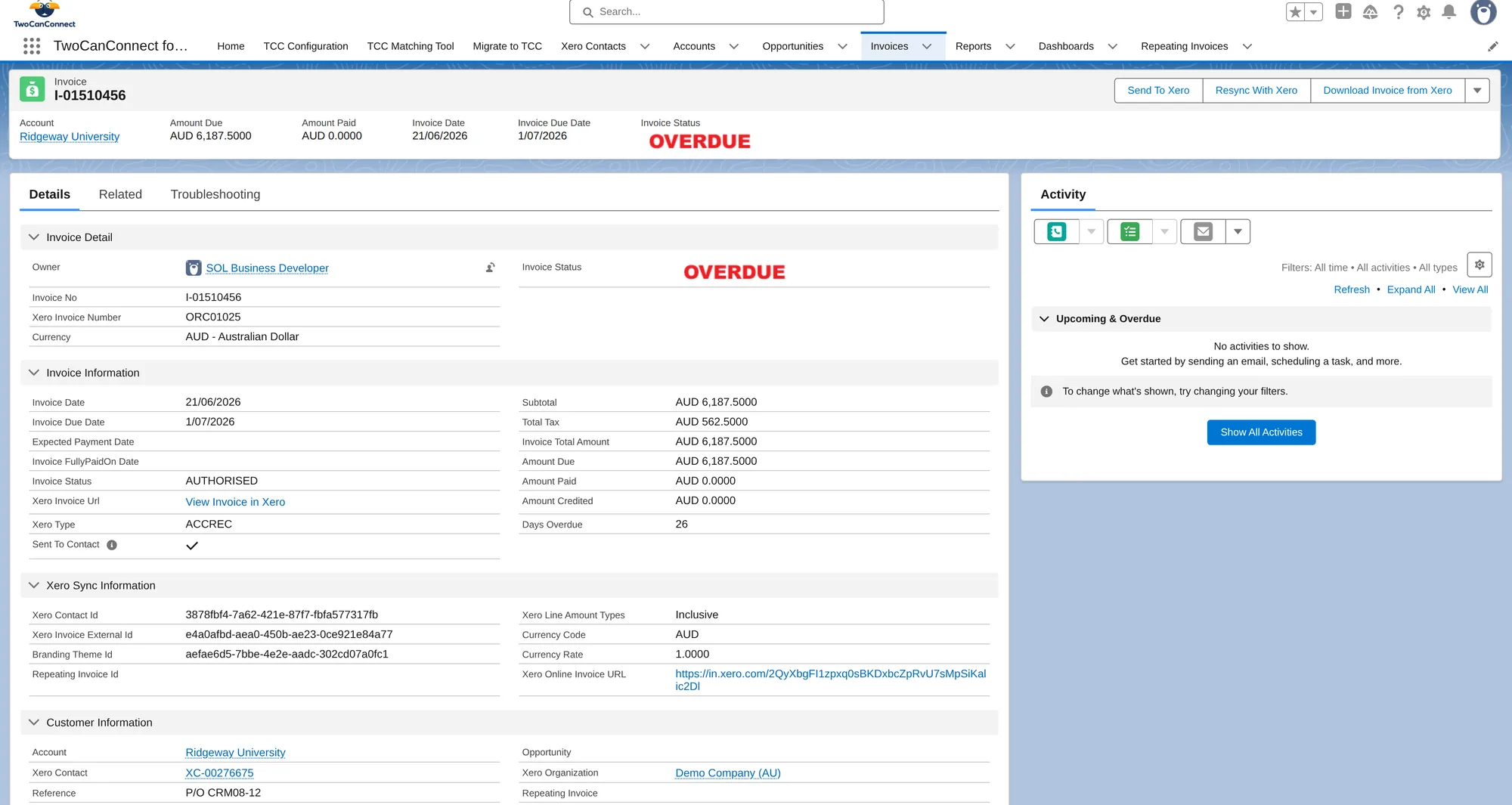
 Live invoice dashboard
Everything that ties a sale to its money.
The TwoCanConnect Xero Salesforce integration is a native managed package that syncs invoices, payments, customers and products between Salesforce and Xero in near real time, both ways, with no middleware. Generate Xero invoices from any Salesforce object and keep your whole sales-to-cash flow matched across both systems.
| Object | Direction | What happens |
|---|---|---|
| Customers & contacts | Salesforce ⇄ Xero | Accounts and contacts stay matched in both systems. |
| Invoices | Salesforce ⇄ Xero | Create in Salesforce; status and payments flow back from Xero. |
| Products & line items | Salesforce ⇄ Xero | Matched to your Salesforce products automatically. |
| Payments | Salesforce ⇄ Xero | Payments sync both ways, so Salesforce and Xero always agree on what's paid. |
| Quotes | Salesforce ⇄ Xero | Create, send and sync quotes both ways (Professional plan). |
| Purchase orders | Salesforce ⇄ Xero | Raise and sync purchase orders in both directions (Advanced plan). |
| Bills | Xero → Salesforce | Bills entered in Xero flow into Salesforce for full visibility (Advanced plan). |
| Credit notes | Xero → Salesforce | Xero credit notes flow into Salesforce (Advanced plan). |
| Tax rates | Xero → Salesforce | Pulled from Xero so totals always match. |
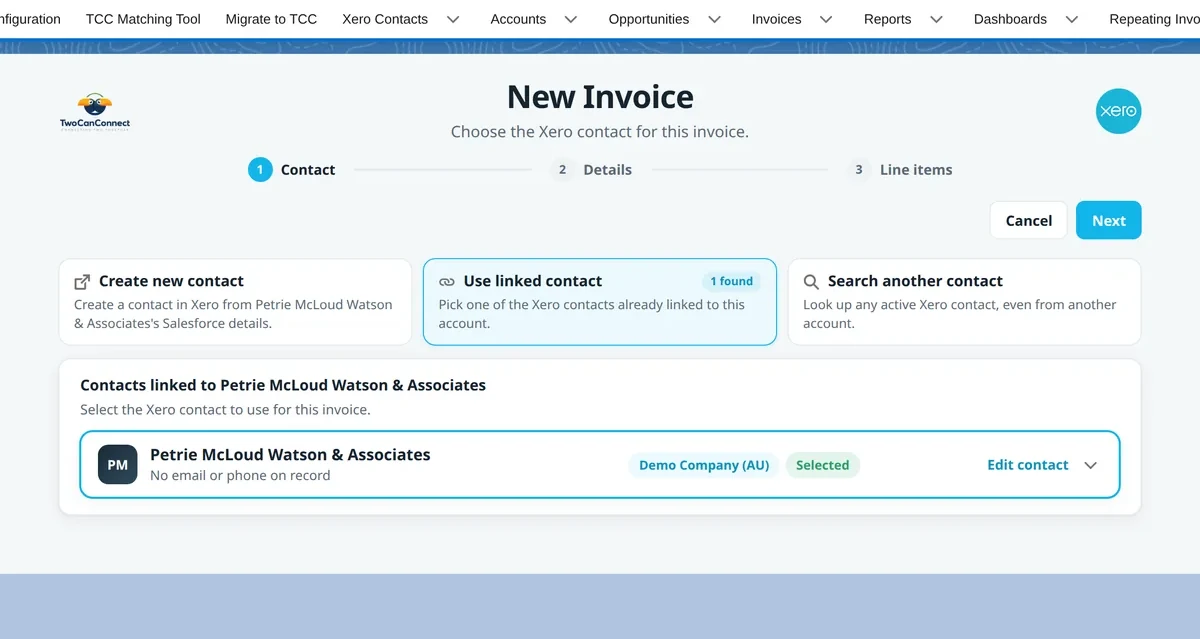
Create Invoices from Salesforce
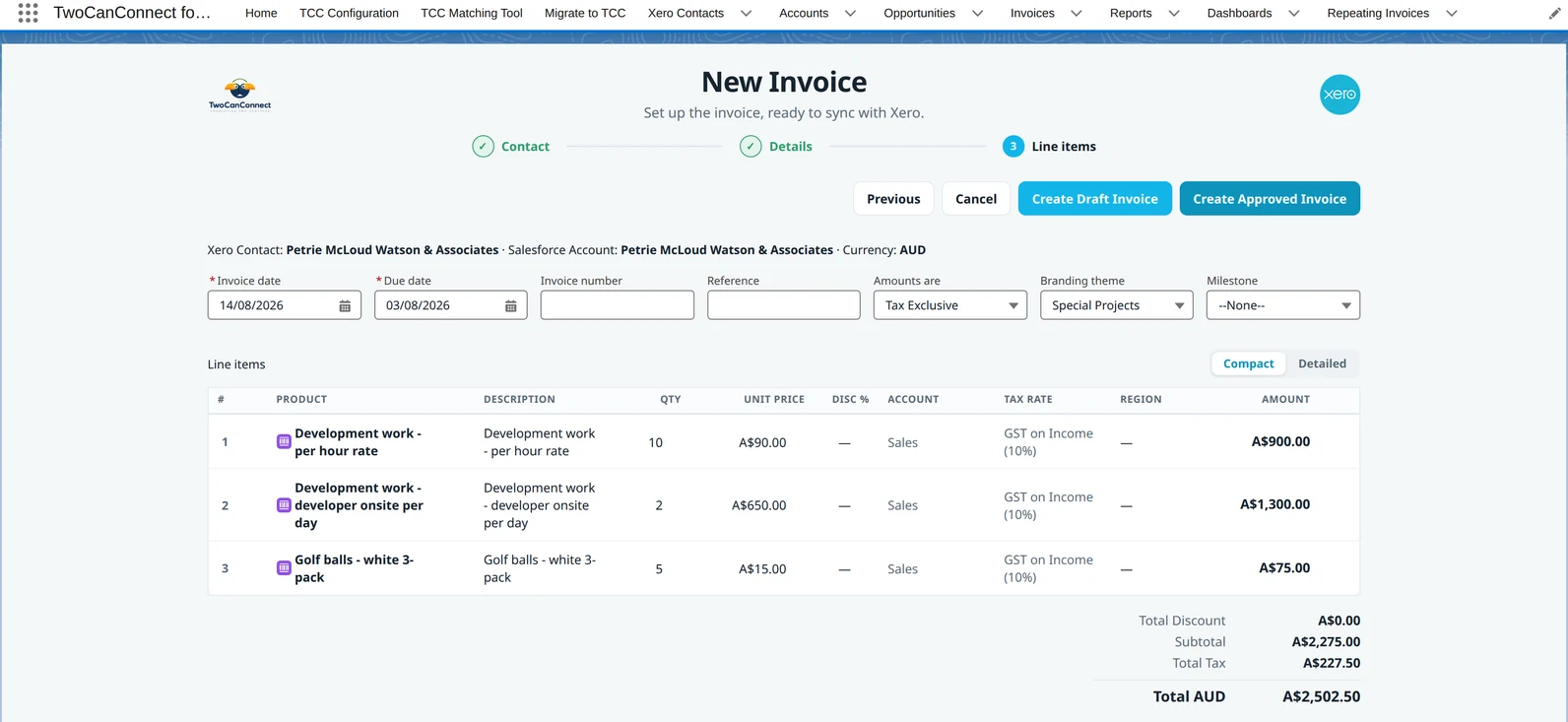
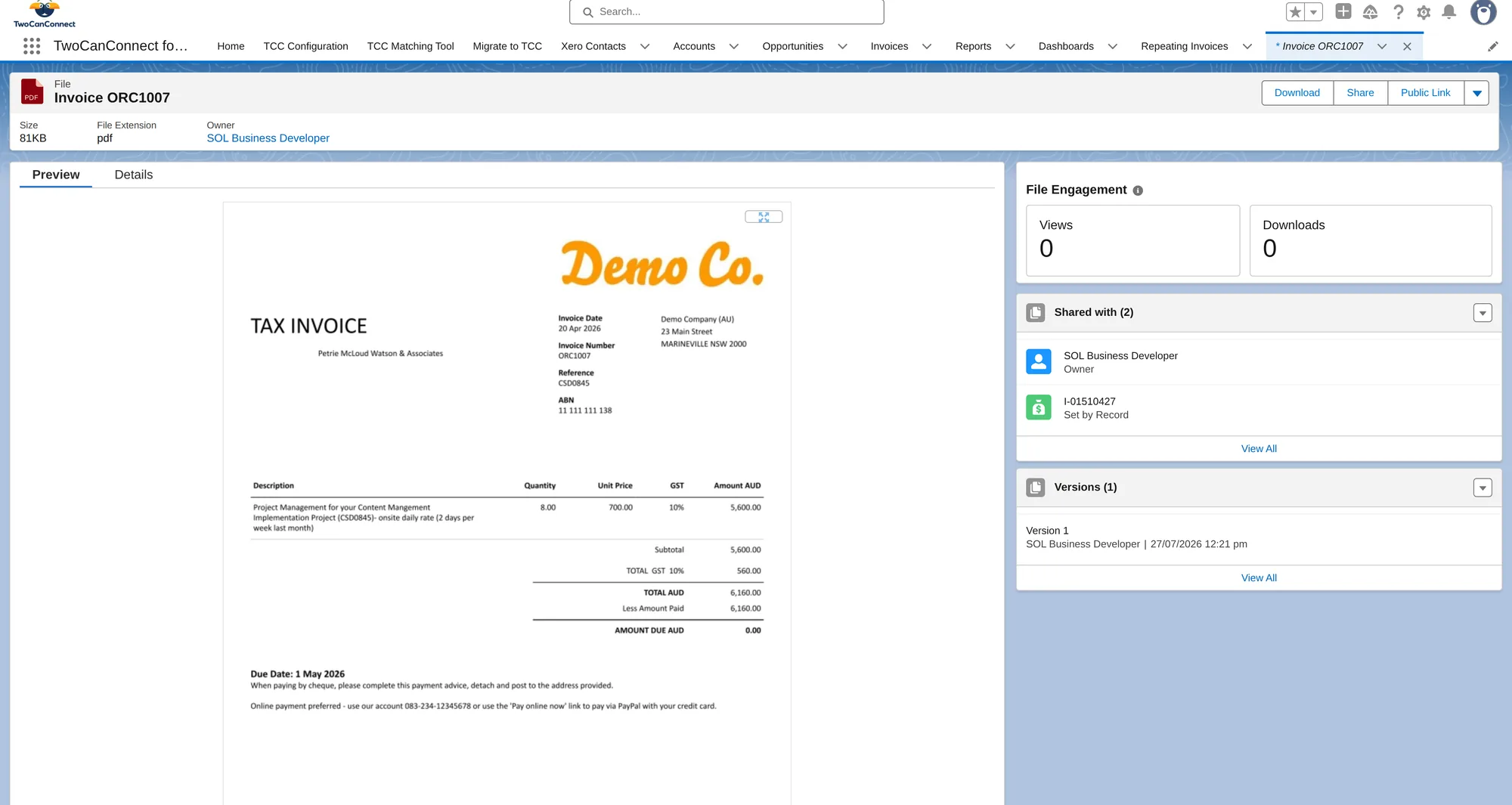
Generate Xero invoices — including repeating invoices — from Opportunities out of the box, or from any other object you map.
See how it worksQuotes & Purchase Orders
Create and send quotes, raise purchase orders, and keep them synced with Xero.
See how it worksOne-Way or Two-Way Sync
Run the sync one-way or two-way — you choose how data flows between Salesforce and Xero.
See how it worksInstant Sync on Demand
Send a record to Xero the moment you need it, or let the ongoing sync run in near real time.
See how it worksMap to Any Object
No-code field mapping to any Salesforce object — standard or custom. Match your data your way.
See how it worksMultiple Xero Orgs
Connect several Xero organisations to a single Salesforce org — built for multi-entity businesses.
See how it worksMulti-Currency
Invoice and sync in multiple currencies — trade across AU, UK, NZ and beyond with no workarounds.
See how it worksHistorical Syncing
Bring your existing Xero invoices, contacts and payments into Salesforce so day one has full history.
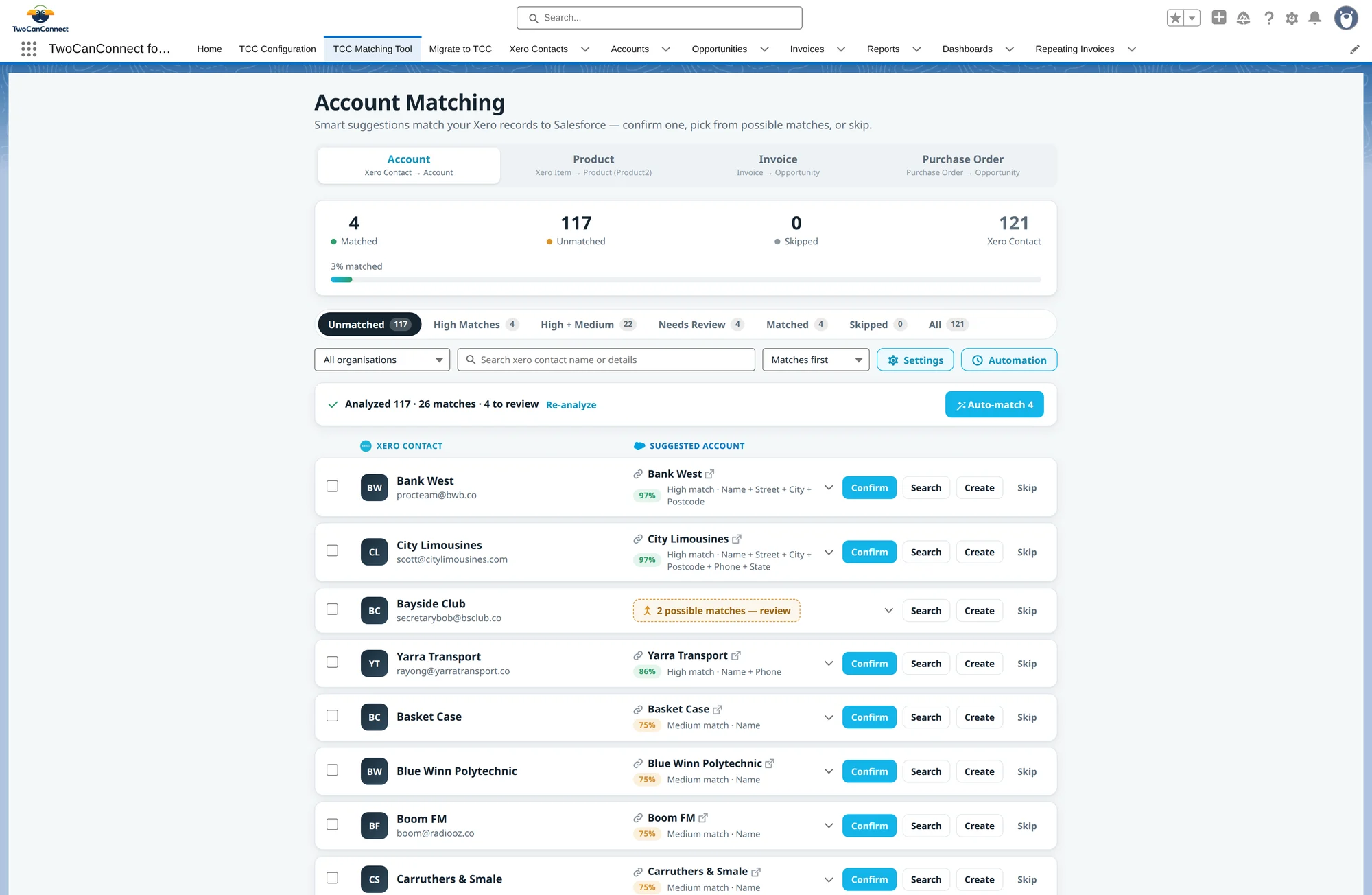
See how it worksAccount Matching
Smart-match Salesforce Accounts to Xero Contacts — confirm, pick or skip. No duplicates, no manual work.
See how it worksBuilt the Salesforce-native way.
Native managed package
Installed from the AppExchange and runs entirely inside your Salesforce org — your data never leaves it.
Passed the Salesforce Security Review
Every package is AppExchange-certified and reviewed by Salesforce before it ships.
Respects your permissions
Honours your existing profiles, roles and sharing rules — no new logins, no external dashboards.
See Xero in action
Bring your history with you
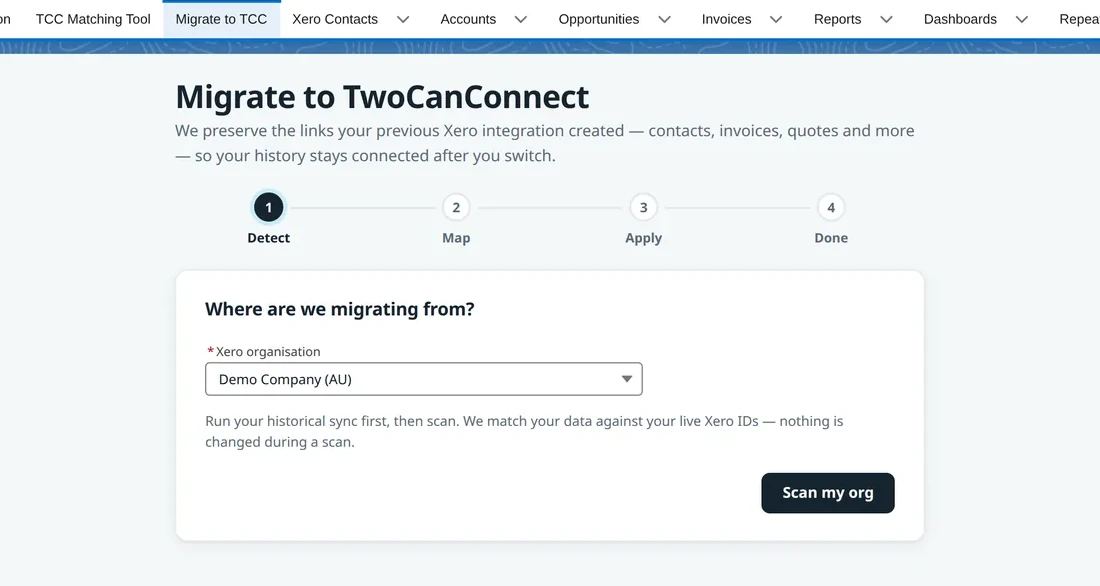
Switching on the connector isn't a clean-slate exercise — and neither is switching to it. Our migration wizard moves you off any other integration — paid, or one you built yourself — in a few clicks, syncing your existing Xero data into Salesforce and matching it to your accounts.
- Migration wizard moves you off any other Salesforce–Xero integration — paid or built in-house — in minutes, not weeks
- Historic invoices, contacts and payments synced into Salesforce
- Automatic matching to your existing Salesforce accounts and products
Native, not middleware.
| Capability | TwoCanConnect | Typical connector |
|---|---|---|
| Runs natively inside Salesforce — your data never leaves your org | Often middleware or an external sync service | |
| Middleware or a service to host | None | Usually required |
| Two-way sync, in near real time | Often one-way or scheduled batches | |
| Users & transactions | Unlimited — no per-seat or per-record fees | Frequently metered or per-user |
| Map any field to any Salesforce object | Fixed or limited mappings | |
| Switching from another connector | Migrate in minutes | Manual re-mapping |
| Free trial, no credit card | Varies |
Comparing named products? Read our honest comparison of the best Xero Salesforce integrations.
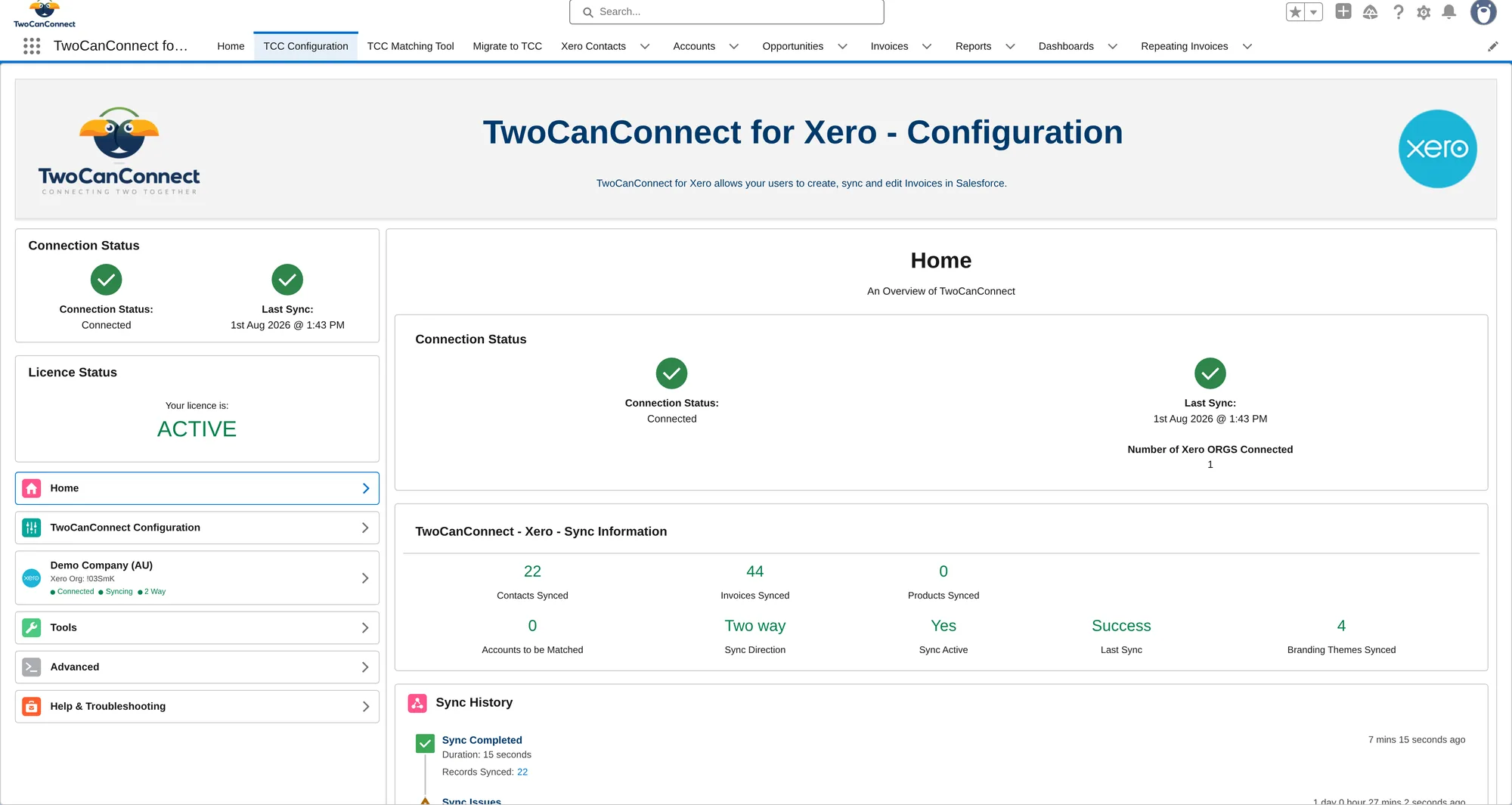
Inside Salesforce
Simple pricing. Free trial. No payment details.
Unlimited users and transactions — no per-seat or per-record fees.
- Sync historic data from Xero
- Create invoices in Salesforce
- Create repeating invoices in Salesforce
- Invoice from any standard or custom object
- Automate invoicing with Salesforce FlowSalesforce Enterprise Edition and above
- Account and product matching
- Easy setup wizard
- Migration wizard included
- Everything in Basic
- Create quotes in Salesforce
- Send quotes from Salesforce
- Sync quotes (two-way)
- Everything in Professional
- Two-way purchase order sync
- Sync bills (one-way)
- Sync credit notes (one-way)
Prices shown in AUD, excluding local taxes, and billed annually. Every plan includes one Xero organisation. Connect additional Xero orgs for AUD $100/month each.
One platform, every tool you run on.



Xero integration questions
Does the Xero Salesforce integration sync both ways?
Yes. Customers, invoices, products, quotes, payments and purchase orders sync in both directions between Salesforce and Xero, while bills, credit notes and tax rates flow from Xero into Salesforce so both systems always match.
Do I need middleware or a separate sync platform?
No. TwoCanConnect for Xero is a native Salesforce managed package installed from the AppExchange. There's no middleware, no external connector service and nothing to host — it runs entirely inside your Salesforce org.
Which Salesforce editions are supported?
Professional Edition and above. Setup is a roughly 15-minute guided install with no code — you configure everything with clicks. The Flow elements need Enterprise Edition and above.
Can I generate Xero invoices from custom Salesforce objects?
Yes. You can create Xero invoices from Opportunities or almost any other standard or custom Salesforce object. You get 10 invoice field-mapping sets per org, and each set maps one source object.
Will it bring across my existing Xero history?
Yes. Historic invoices, contacts and payments are synced into Salesforce and matched to your existing accounts and products, so day one looks like business as usual. Moving from MYOB or Reckon to Xero? You can bring that data across too.
Does the Xero Salesforce integration support multiple currencies?
Yes. TwoCanConnect handles multi-currency invoicing and sync, so you can trade across AU, UK, NZ and other markets and keep Salesforce and Xero aligned on every currency.
How much does the Xero Salesforce integration cost?
Plans start at AUD $149/month billed annually (Basic), with Professional ($199) adding quoting and Advanced ($299) adding bills, purchase orders and credit notes. Unlimited users and transactions — no per-seat or per-record fees. Every plan includes one Xero organisation (additional orgs are AUD $100/month each) and a free trial with no card required.
Prefer the details? Read the full Xero integration documentation.
Rated 4.6★ by the teams who use it.
“We completed the setup and had all of our invoices in Salesforce within 10 minutes. If you need support, the team respond quickly and accurately. The configuration/setup area is a work of art.”
“It was easy to set up and customer service responded quickly. 9 weeks in and no issues. Love two way sync especially syncing historical data.”
“TwoCanConnect is easy to setup & use, no-nonsense integration between Xero & Salesforce and will be invaluable in helping grow our business. Worth every dollar!”
Questions? Talk to a real person.
Tell us what you're trying to connect and we'll point you the right way — or book a demo and we'll walk you through it.
- We reply to the form by email, usually the same business day
- Or log a case from the in-app Help & Troubleshooting section
Stop copying data between tabs.
Install any connector from the AppExchange and run your first sync today. Free trial, no payment details.
Install from AppExchange